More SKUs, less rework. Label approval at the speed of the shelf.
SKU families are growing too fast to validate manually. Speed up the approval process for each variation—code, regulatory text, and color—without compromising quality.
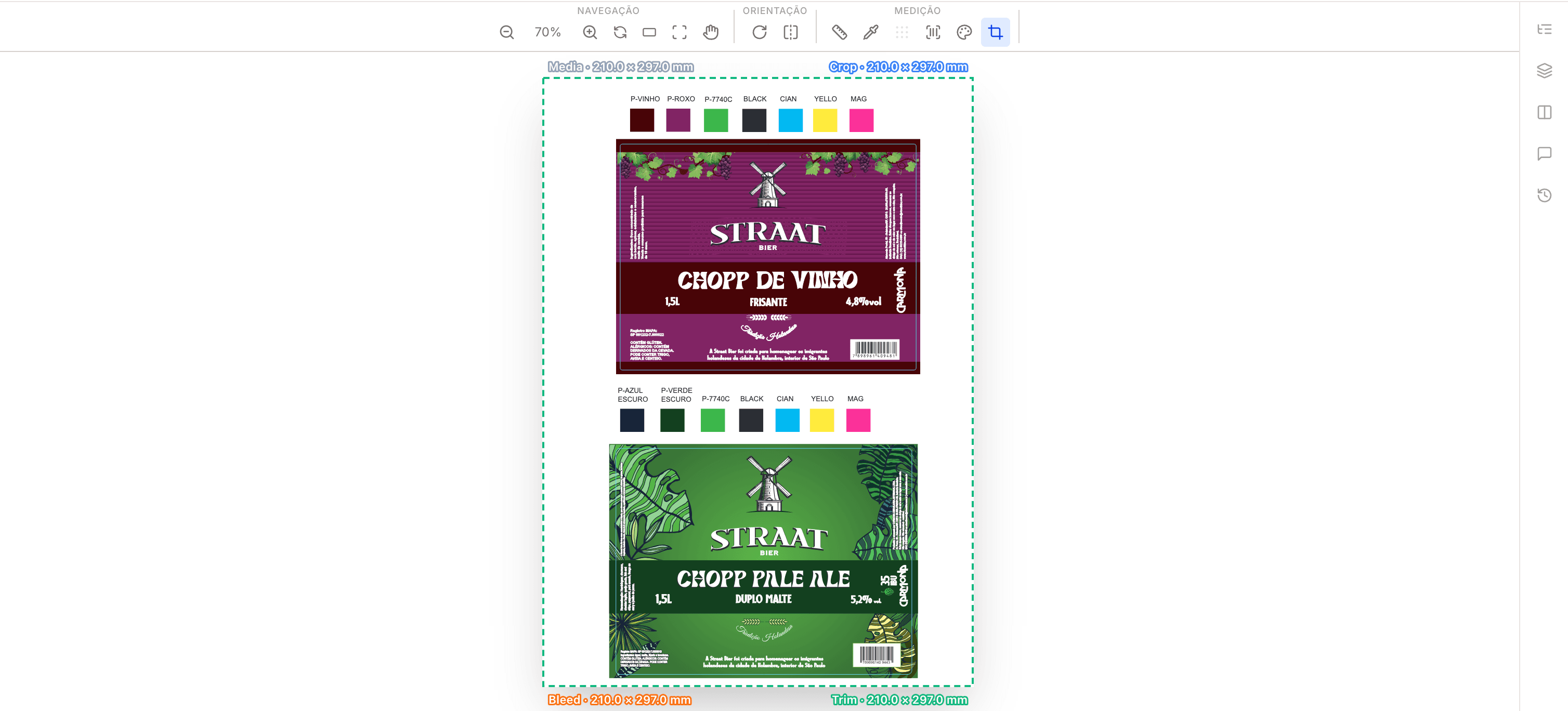
Designed for suppliers of self-adhesive and shrink-sleeve labels
Each SKU has a different weight, expiration date, and batch number. Manually verifying each variation takes time your team doesn’t have. eyeView automates technical and regulatory checks—so you can focus on delivering, not on checking.
How a label is approved in eyeView
The productivity that SKU families demand
Custom color, just the way you want it
Special colors are displayed using their exact names—not CMYK values. Integrated Pantone Coated Color Guide.
- Color name on the panel
- Accurate preview of the special color
- Toggle by color channel
Barcode validated automatically
Check the reading, check digit, and position before sending to print. Checks every page.
- Supported 1D and 2D barcode formats
- Check digit validation
- Bounding box highlighted in the artwork
Differences between SKUs at a glance
Compare two labels from the same product line side by side. The changes are highlighted—weight, expiration date, batch number, and ingredients.
- Word-for-word translation
- Useful for SKU families
- Highlight directly on the canvas
Substrate visible as in the machine
See how it will look when printed on clear, metallic, or white. No surprises when it arrives on the shrink sleeve.
- White as a standalone layer
- Preview on a configurable substrate
- Suitable for BOPP and shrink sleeves
Automatic review of regulatory text
Intelligent automation cross-checks weight, allergens, batch number, and expiration date against the brief. Findings are categorized by severity.
- Categories: weight, allergens, batch, expiration date
- Severity: critical, warning, info
- Thoughts on art
The brief has become a checklist
Drag the brief into Word. The smart automation compares it with the artwork and shows you what’s missing, what’s different, and what’s extra.
- Supports .doc and .docx
- Item-by-item comparison
- Side-by-side with numbering
From OS to machine, seamlessly
Client sends brief + artwork
Brief in Word, artwork in PDF. eyeView extracts both and automatically matches the brief with the artwork.
Validate code, text, and color
Barcode, regulatory text, and special color validated before the client sees it. No manual review.
Approval + production
The client approves the design in the browser. The approved design is sent to the production package with full traceability.
