app.eyeview.pro/proof/7Kx2QCopy
LHDRPV
They open it with just their email, no accountLink, no login
Each recipient gets their own link and reviews in the browser with just their email. No password, nothing to install.
Send the artwork as a link. Every approver marks up the file itself, approves or rejects in one click, and you get it all on record — with versions compared and a full history.
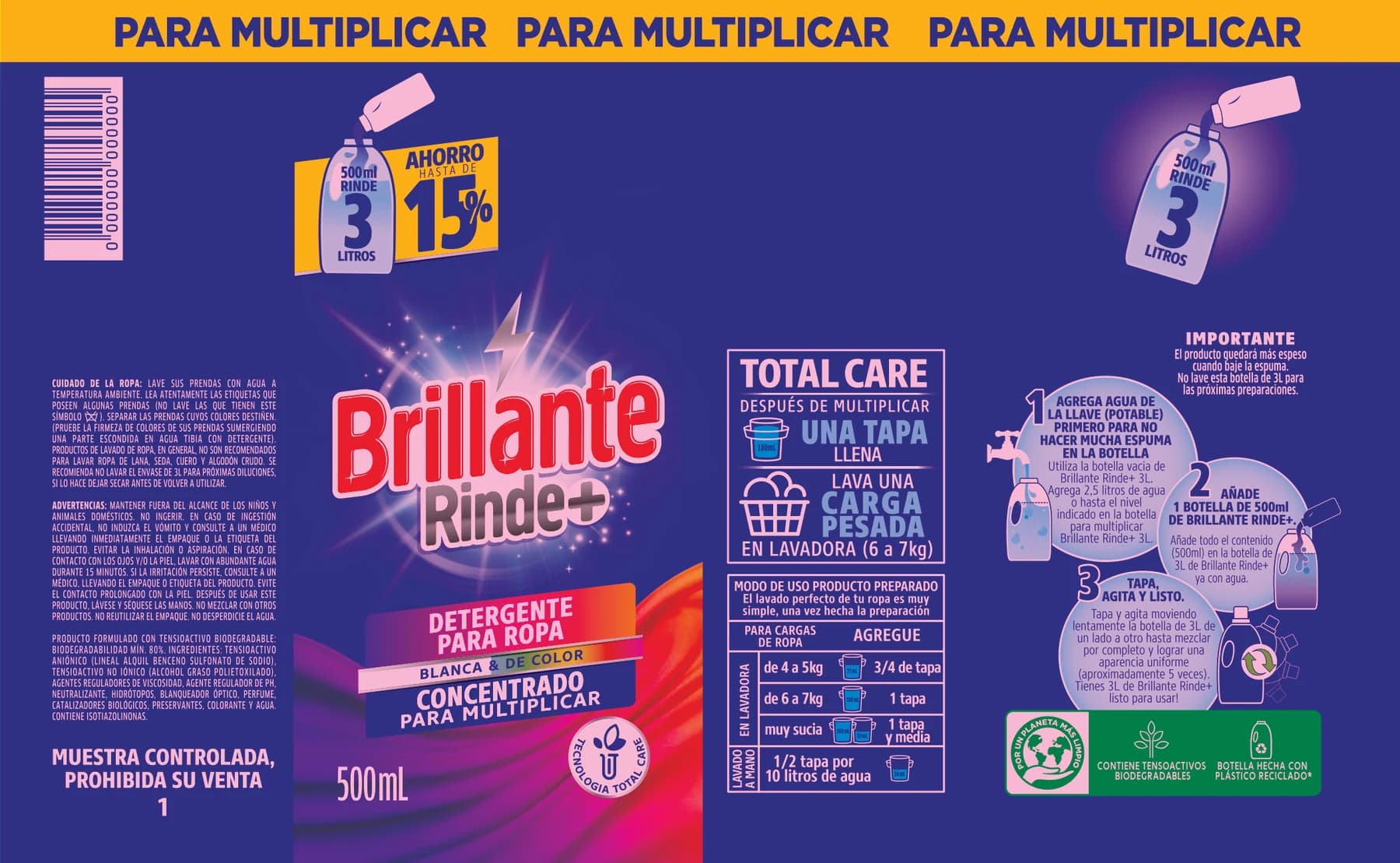
The promo changed to 20% — update the badge.
Proof sent
Due
v2 compared
A proof brings together the file, who approves and who follows along. Every decision is recorded on the right version.
New proof
ARTE_BRILHANTE_SLEEVE.pdf
Client: Brillante
Recipients
Pick the file, the client and the recipients — approvers decide, observers follow. Set a due date and a message.
Each recipient gets their own link and signs in with just their email. No account, nothing to install.
Notes pinned to the exact spot on the artwork, with the name of who left them. Nothing gets lost in emails or screenshots.
With notes open, the proof can only be rejected — and the notes become the feedback. Rejecting asks for a message.
v2 replaces v1 on the same link, and eyeView shows exactly what changed between them.
Click the artwork to leave a note. Then try to approve — and watch eyeView's own rules at work.
Click the artwork to leave a noteNotes · 0
Before approving the new version, the reviewer checks the differences: highlighted, side by side or with the slider.
3 differences found
Hover a difference to highlight it on the artwork.
The Brillante Rinde+ sleeve sent for approval: v1 rejected with notes on the artwork, v2 compared and approved by both approvers.
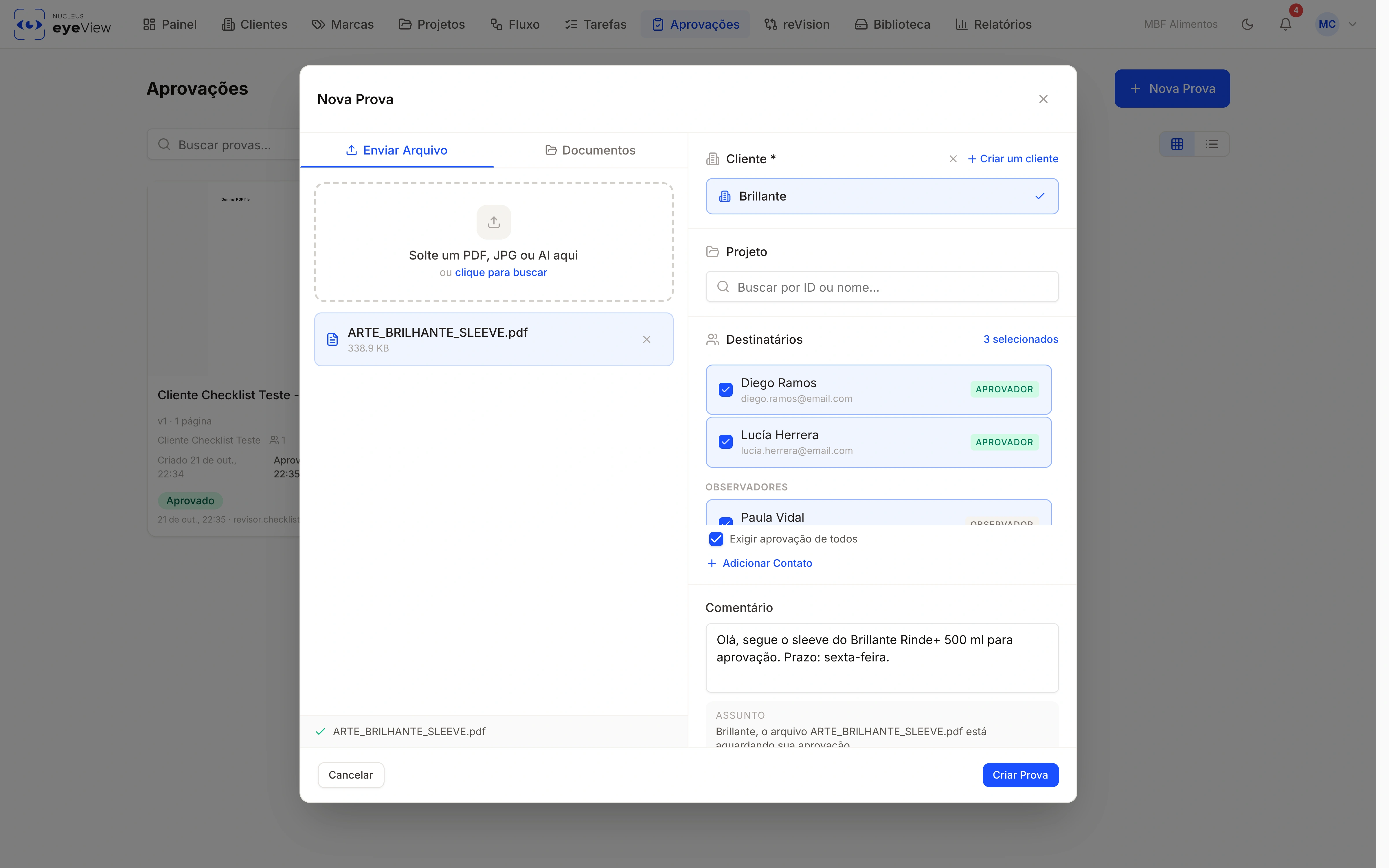
File, client and recipients — approvers and observers — with the option to require everyone's approval.
Each recipient gets their own link and reviews in the browser with just their email. No password, nothing to install.
Pinned notes, arrows, rectangles and freehand drawing on the exact spot in the file, with the name of who left them.
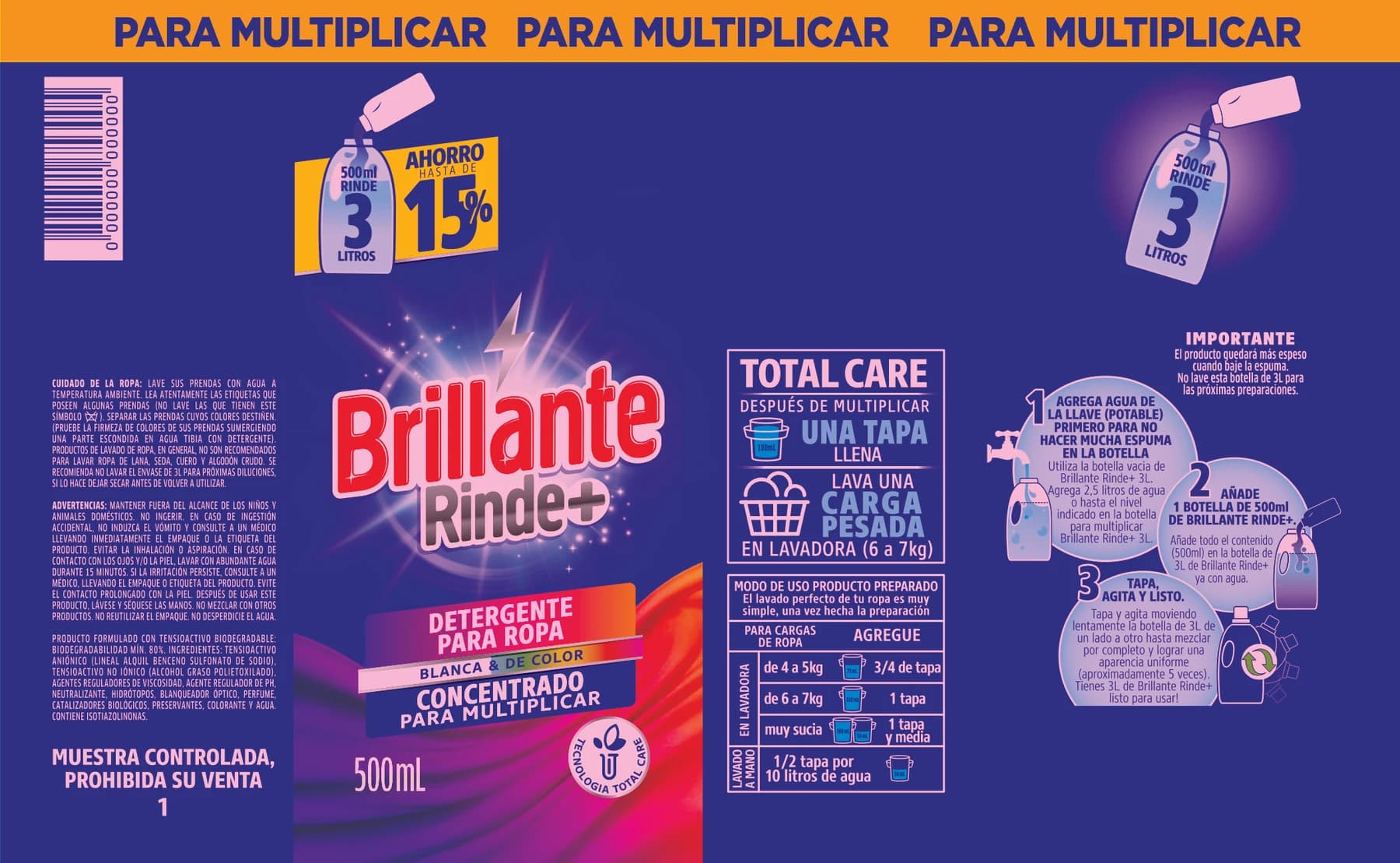 v1
v1The new version opens already compared with the previous one: pixel difference, side by side, overlay or blink.
Who decides and who just follows along, per client or group. Require everyone's approval when you need to.
Due: Fri, Oct 24
3 days left
Every proof has an expiry, and whoever hasn't decided yet gets reminders — no chasing people.
Sends, views, notes and decisions with date, time and message. Proof of what was approved, on every version.
Marketing, Regulatory and Quality approve the same file, each with their own sign-off, without spreadsheets or crossed emails.
What teams ask before swapping email for remote approval.
