Mais SKUs, menos retrabalho. Aprovação de rótulo na velocidade da prateleira.
Famílias de SKU crescem rápido demais para validar à mão. Acelere a aprovação de cada variação — código, texto regulatório e cor — sem perder qualidade.
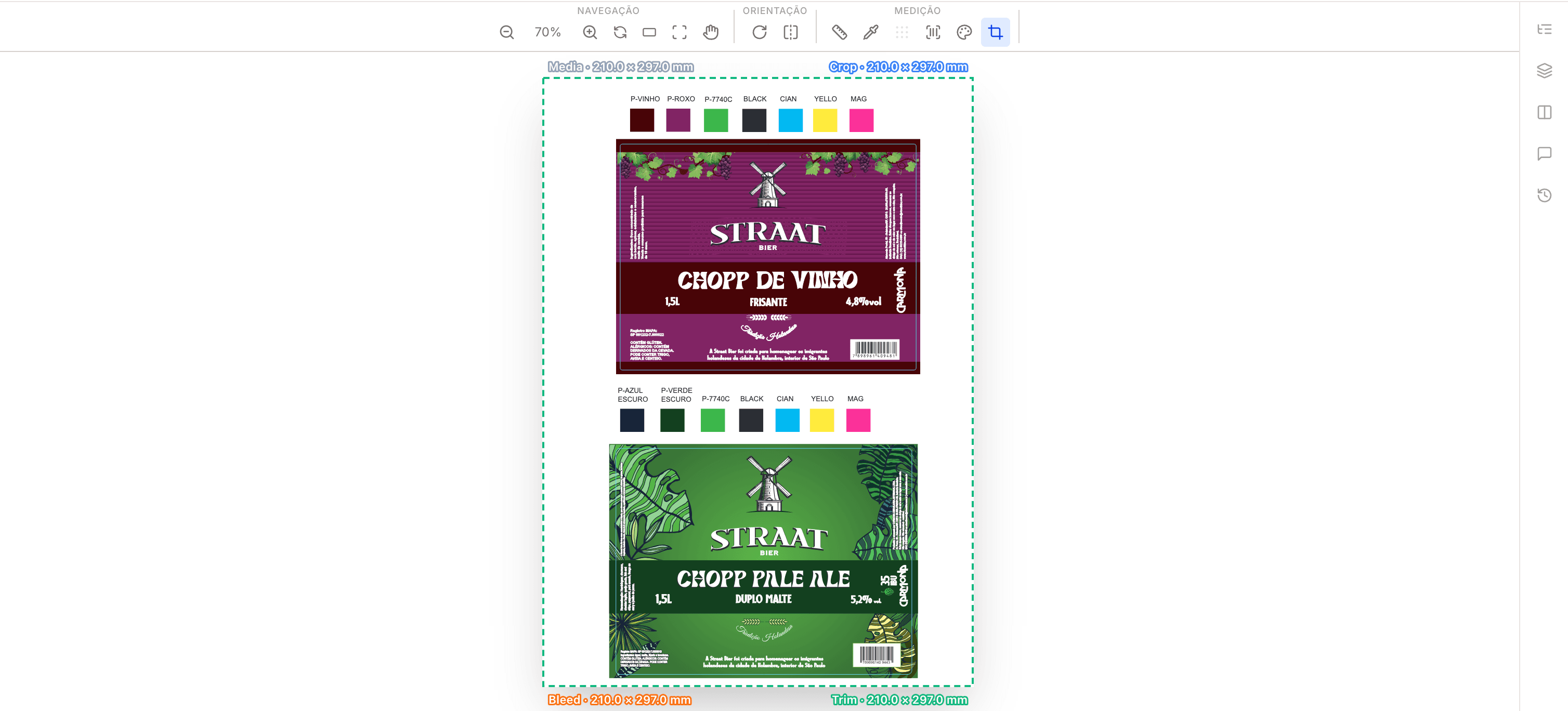
Construído para quem entrega rótulos auto-adesivos e shrink-sleeve
Cada SKU tem peso diferente, validade diferente, lote diferente. Validar manualmente cada variação consome tempo que sua equipe não tem. O eyeView automatiza a checagem técnica e regulatória — você foca em entregar, não em conferir.
Como um rótulo é aprovado no eyeView
A produtividade que famílias de SKU exigem
Cor especial do jeito que você compra
As cores especiais aparecem com o nome certo — não aproximação CMYK. Catálogo Pantone Coated integrado.
- Nome da cor no painel
- Preview fiel da cor especial
- Toggle por canal de cor
Código de barras validado automaticamente
Leitura, dígito verificador e posição checados antes de sair pra impressão. Detecta em todas as páginas.
- Padrões 1D e 2D suportados
- Validação do dígito verificador
- Bounding box destacada na arte
Diferenças entre SKUs em um clique
Compare dois rótulos da mesma família lado a lado. O que mudou aparece destacado — peso, validade, lote, ingredientes.
- Diff palavra-a-palavra
- Útil para famílias de SKU
- Highlight direto no canvas
Substrato visível como na máquina
Veja como ficará impresso em transparente, metalizado ou branco. Sem surpresa quando chega no shrink-sleeve.
- Branco como camada própria
- Preview em substrato configurável
- Útil para BOPP e shrink-sleeve
Revisão automática de texto regulatório
A automação inteligente cruza peso, alergênico, lote e validade contra o brief. Findings categorizados por severidade.
- Categorias: peso, alergênico, lote, validade
- Severidade: crítico, alerta, info
- Numerados sobre a arte
Brief virou checklist
Arraste o brief em Word. A automação inteligente cruza com a arte e mostra o que está faltando, o que está diferente, o que sobra.
- Suporta .doc e .docx
- Cruzamento item a item
- Side-by-side com numeração
Da OS à máquina, sem fricção
Cliente envia brief + arte
Brief em Word, arte em PDF. O eyeView extrai os dois e cruza brief contra arte automaticamente.
Valide código, texto e cor
Código de barras, texto regulatório e cor especial validados antes do cliente ver. Sem manual review.
Aprovação + produção
Cliente aprova no navegador. Arte aprovada vai pro pacote de produção com rastreabilidade completa.
